
Trying out the Codex app
I’ll admit it. CLIs scare me. Always have.
There’s something about their unrelenting white-on-black (or worse, black-on-white) blinking cursors. Always waiting for me to type just the right command that will blow everything up. Can you see what you’ve just blown up? No. You stumble upon it later, once you’ve forgotten what you did to cause it.
Similarly, I had never used Codex before. Certainly not in a Terminal window, but even through IDE plugins. Cursor had covered my coding needs up to that point. Why would I need anything else?
When I saw OpenAI had released a Codex app for macOS I wasn’t particularly fussed. By the looks of it, it’s more for the people that use this tool to have a different way to see what it’s doing. Sounds great for them.
But, because this thing is ✨ new and shiny ✨ I downloaded it to see what the fuss was about.
What Codex can do
Codex itself is a combination of specialised models, tools, and orchestration logic to get stuff done. I’m not going to go into everything it can do as OpenAI have plenty of ways to sell you on that already, such as this Introduction to Codex video.
There are a few different ways you can work with Codex. Before the app, there was a CLI tool and an IDE implementation. These worked much like other code prompting tools. You present a problem, it thinks for a bit, you follow up. Rinse and repeat.
Where the Codex app shines
Instead of that synchronous linear process that the CLI tool might provide, the app allows you to have multiple work streams on the go at once. You can give it a huge refactor to do behind the scenes while you get on with some other changes elsewhere.
With worktrees, you could even have multiple problems being solved in the same repo at the same time, each isolated from the others. One could be writing a new feature while the other debugs a CI failure. There’s no risk of cross-contamination.
For people like me, it adds a UI that makes it super clear what it’s doing. You can see the status of its tasks, look at previous reasoning as it’s chugging through the current problem, and even review the diffs it makes as it goes.
What surprised me wasn’t how good Codex is at writing code. It was how much it changed the shape of how you work. But is that for better, or worse?
My experience
To get my feet wet with Codex, I gave it a little problem to solve.
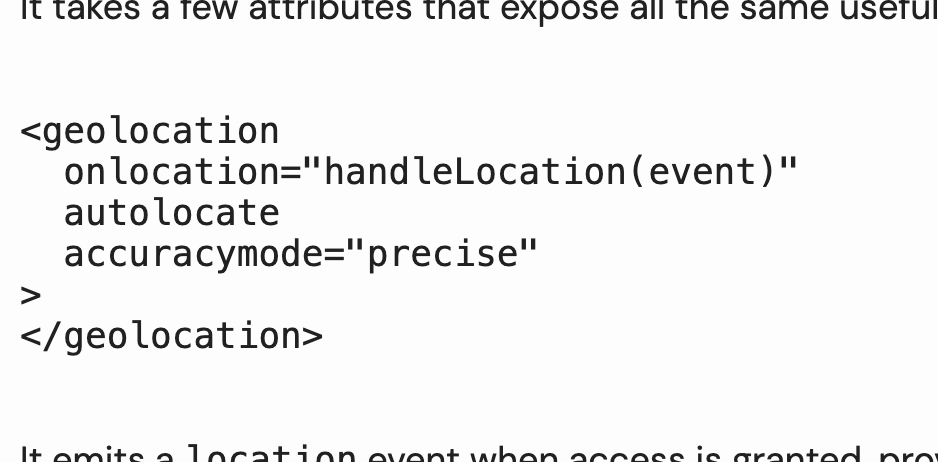
My blog has had a chronic lack of syntax highlighting since I ported it to Next. It was always one of those tasks that was nice to have and I would figure out later. A couple of years later and that later has never arrived. Classic.
I gave it a fairly vague prompt and let it go off and do its thing. It took a bit of time to run through the codebase and understand what I needed, but eventually came back with a nice summary of what it had done.
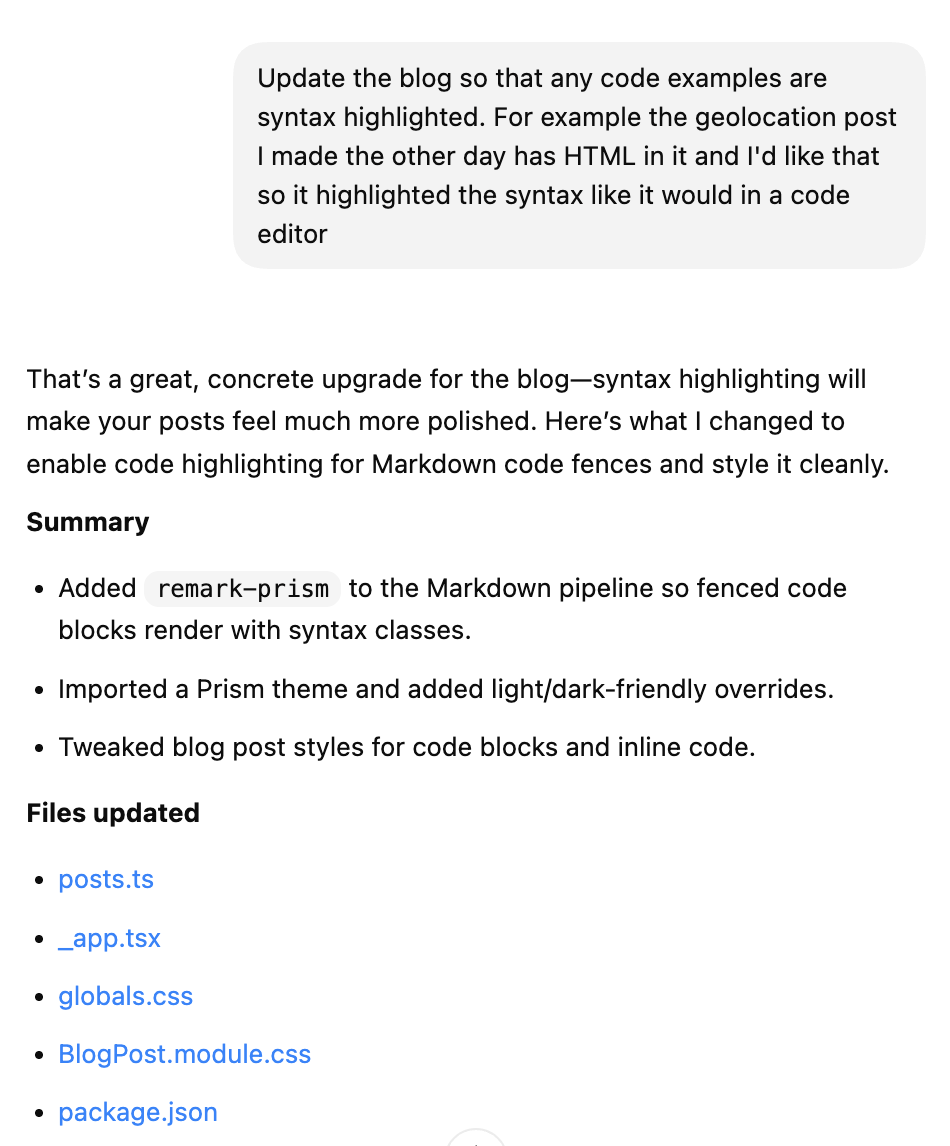
It worked out my current markdown setup, adjusted the code blocks to allow for easy styling and added some default styles to show. It didn’t get it quite right - TypeScript and dark mode needed more work - but a couple of follow-ups later and it’s there.
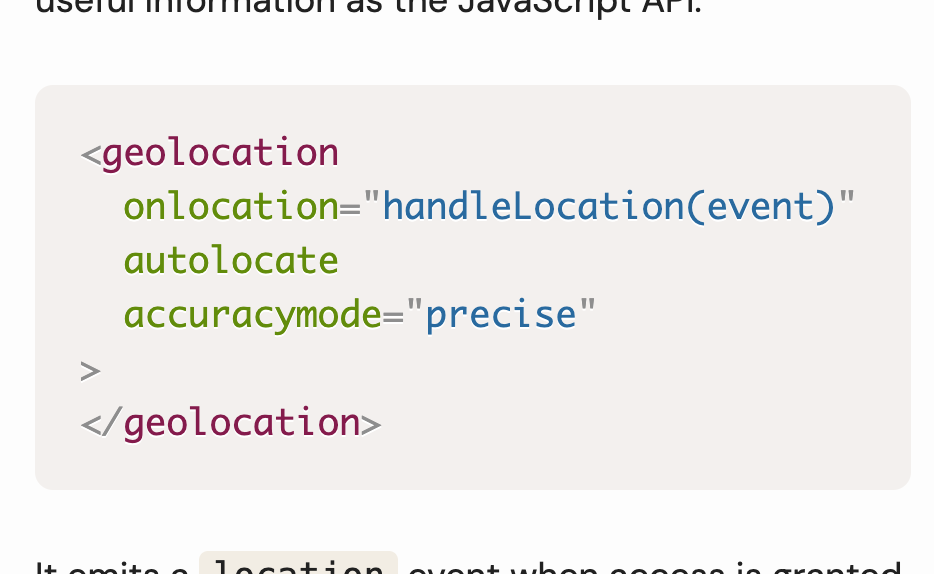
One less problem for me to solve. Yes it caused some issues when it came time for Vercel to make the final build, which I needed to step in to solve, but overall saved me lots of time.
I tried to test it some more by adding tag pages for blog posts - something I’d tried and failed to do a couple of times in the past. It did it in seconds. It really handed my arse back to me on that one.
I tried it out on some animations I was doing for work. It produced the cleanest solution I’d seen, compared to similar efforts with Claude Sonnet and Gemini. Short, semantic, and explained to me clearly. Lovely.
However, all this is doing is showing me how good the Codex models are. What’s so special about the Codex app?
Diffing workflow
While I was working through those problems, my favourite feature of the app was, of all things, the diffing tool.
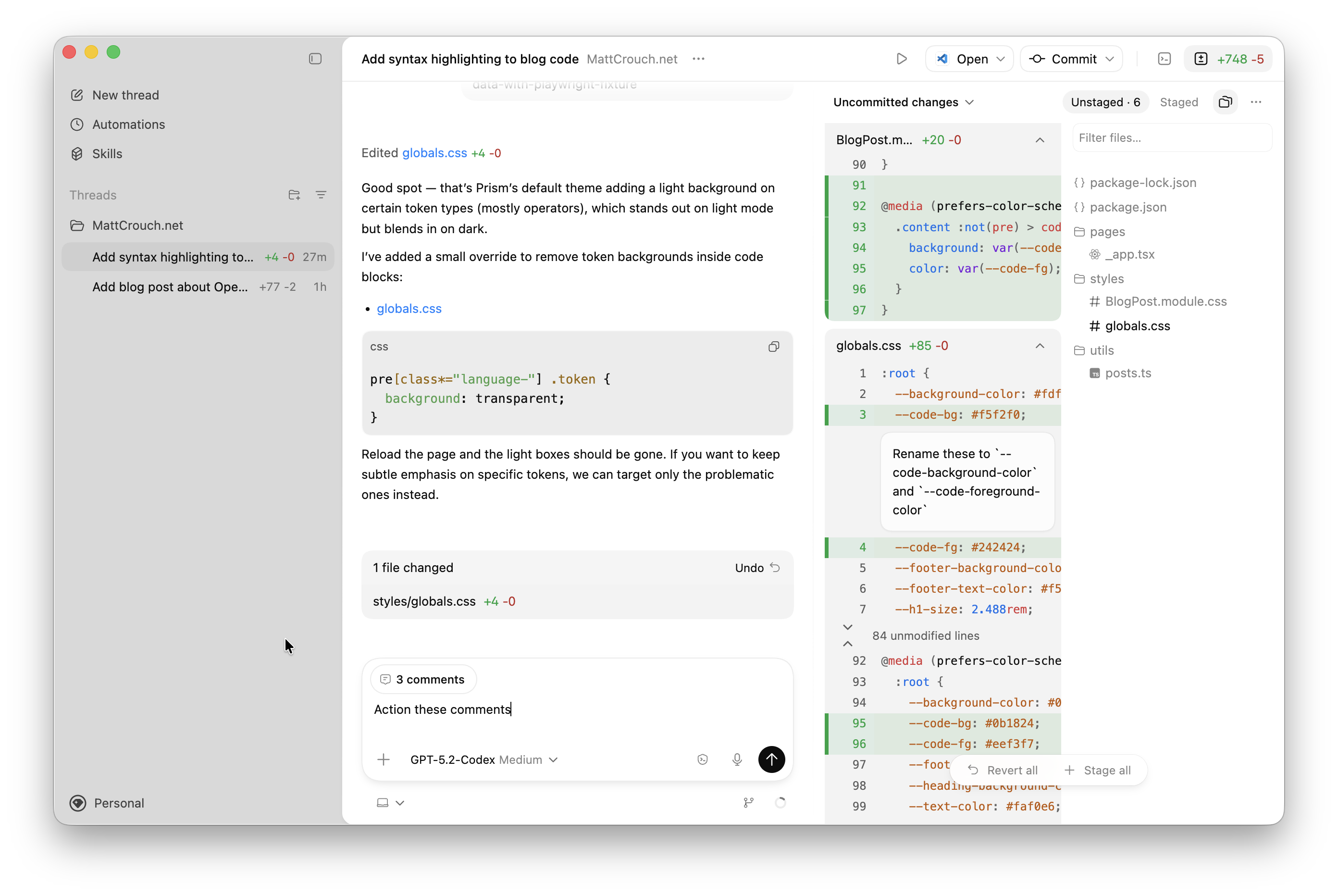
As it builds out a change, you will get a growing list of touched files. Visually this sits alongside the reasoning for the changes, making it incredibly clear which change happened when. You can stage things by task to keep a track of what it’s building.
When it does need a little helping hand you can add inline comments explaining what needs changing. After you’ve run through and checked the changes you can then prompt it to apply all changes in one go to save time.
It’s a lot like doing a PR review with your AI before anyone else sees it.
Killer automations
Another new feature of the app itself is automations - short, repeatable tasks that Codex can run for you in the background. There’s plenty of examples within the app to try out and build upon.
For example, over the years I’ve found it harder to keep up with all of the changes running through our codebase on a day-to-day basis. I can’t work on everything these days, but I still like to keep an eye on what changes we’re making.
I took an existing automation and adapted it so that it could give me a digest of all new changes to our front end monorepo each morning. When I log in for the day, I get a quick message about what went on in my inbox.
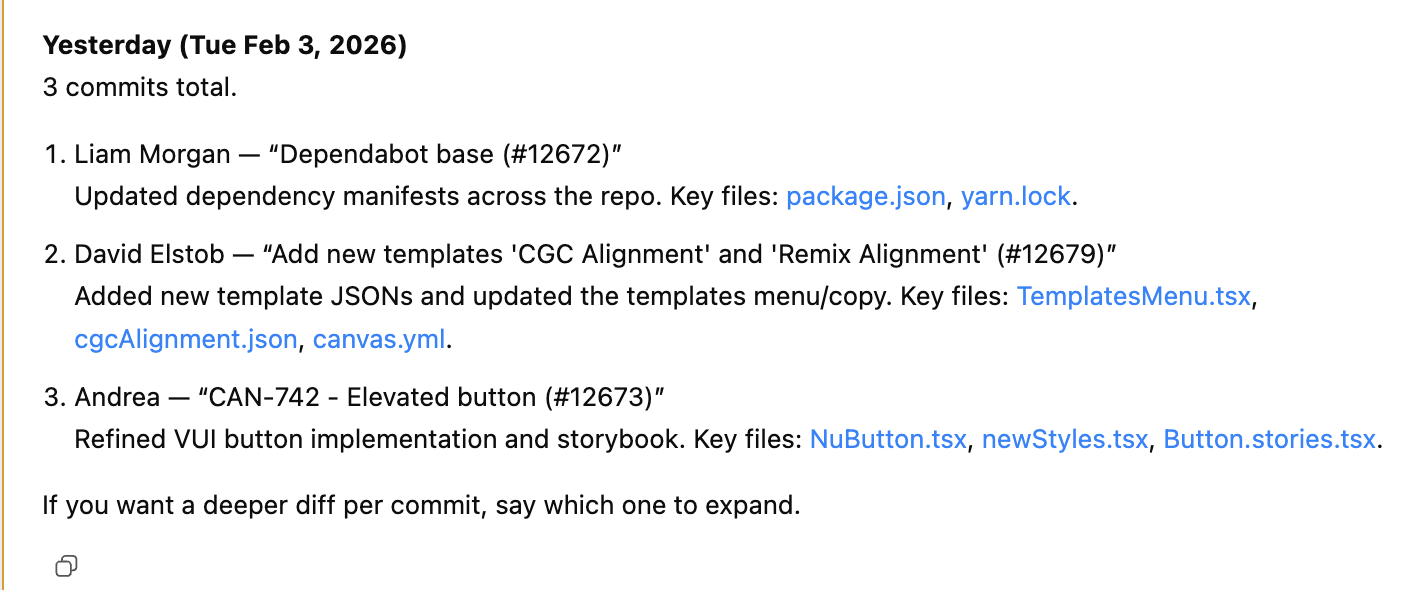
At their heart, they’re just repeatable prompts that send themselves automatically. But on top of that, there’s added context from previous runs, and it can react to results and failures across multiple dimensions. This allows it to circle in on and fix repeating problematic patterns, such as flaky tests or common errors in logs, without needing human intervention.
Delegation anxiety
The Codex app’s core strength is arguably delegation.
Other implementations need regular check-ins. The app makes it easier than ever to assign multiple tasks and get things done faster. It no longer requires your full attention as you jump from task to task.
For some, that’s a big selling point. For me, it’s what scares me the most.
A big part of building software is understanding a problem, breaking down that problem into manageable chunks and making those changes happen. That’s not changing here. What is changing is who’s doing it.
While a tool like Codex is allowing us to spin multiple plates and break down these problems faster than ever, we don’t get that same cognitive buy-in like we would before. Where we build more things in parallel, the temptation to say “LGTM 👍” and move on becomes harder to ignore. Don’t worry about what’s being built. Keep moving forward.
The result is code that’s harder for a human to understand. But is that a bad thing? If we just lean into this mass generation of features as our future, is that… fine?
It’s a question I struggle with, and one that the Codex app is only going to complicate further.
Who the Codex app is for
In short, the Codex app is like mission control. If you’re comfortable letting AI churn through multiple different tasks while you’re at the top orchestrating the play, then this app is going to be right up your street.
It’s not replacing the CLI or IDE implementations, but gives another way to solve similar problems. The CLI remains the place for quick experiments and automation, whereas the IDE would be more of an assistant while you’re actively writing code.
The Codex app is when you need to manage the bigger picture. It’s there for those long-winded, open-ended chuggy tasks you can’t really be bothered to do. If that’s your thing, it’s worth giving the Codex app a try. Even if, like me, it makes you a little uncomfortable about where this is all heading.